
Get the secret key in Stripe
- Open the Stripe Dashboard.
- Go to Developers > API keys.
- Copy the Secret key. It starts with
sk_test_in test mode orsk_live_in live mode.
pk_).
Add it in Gamecart
- Open Settings > Gateways and click Add gateway.
- Click Add on Stripe.
- Paste the key in Stripe secret key.
- Click Save Configuration.
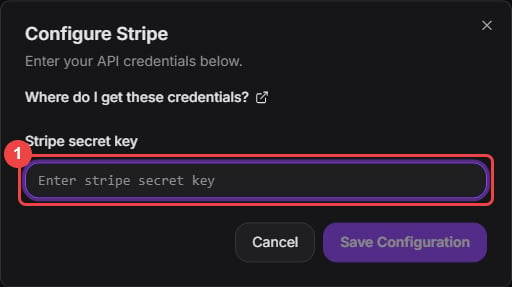
Paste only the secret key.
- Turn on the Stripe switch in the gateway list when you are ready to take payments.