
Get the receiver email
Use the email address of the PayPal account that should receive store payments. PayPal calls it thebusiness value on the checkout form.
To test first, use the email of a PayPal sandbox account.
Add it in Gamecart
- Open Settings > Gateways and click Add gateway.
- Click Add on PayPal.
- Paste the address in Receiver email.
- Turn on Sandbox mode only if the email belongs to a PayPal sandbox account.
- Click Save Configuration.
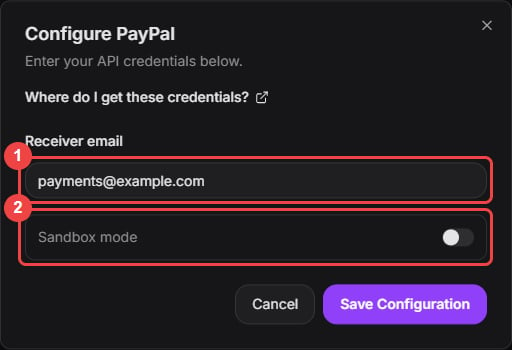
Enter the receiving email. Sandbox mode is only for PayPal sandbox accounts.
- Turn on the PayPal switch in the gateway list when you are ready to take payments.