
Get the access token
- Open Mercado Pago Developers.
- Open the application you want Gamecart to use.
- Copy the Access token. Use the test token while you try the integration and the production token for real payments.
Add it in Gamecart
- Open Settings > Gateways and click Add gateway.
- Click Add on Mercado Pago.
- Paste the token in Access token.
- Turn on Sandbox mode only if the token is a test credential.
- Click Save Configuration.
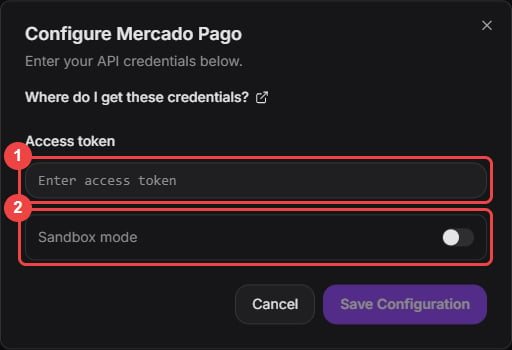
Paste the access token. Sandbox mode is only for test credentials.
- Turn on the Mercado Pago switch in the gateway list when you are ready to take payments.