
Run a controlled delivery test
1
Confirm the delivery connection
For a plugin or script executor, run
gamecart status from the server or proxy console. For RCON, check the host and port shown in Integrations > Servers.2
Prepare test data
Create a test product and use an account identifier that you can inspect on the target server.
3
Place the test order
Use a safe payment or test path that is available to your store. Complete the controlled order through your storefront.
4
Follow the command
Open Integrations > Commands and watch the command status. Click Refresh to update the list.
5
Verify the result
Check the target server for the expected result. A console that accepts a dispatch does not prove that the command worked as intended.
Understand command states
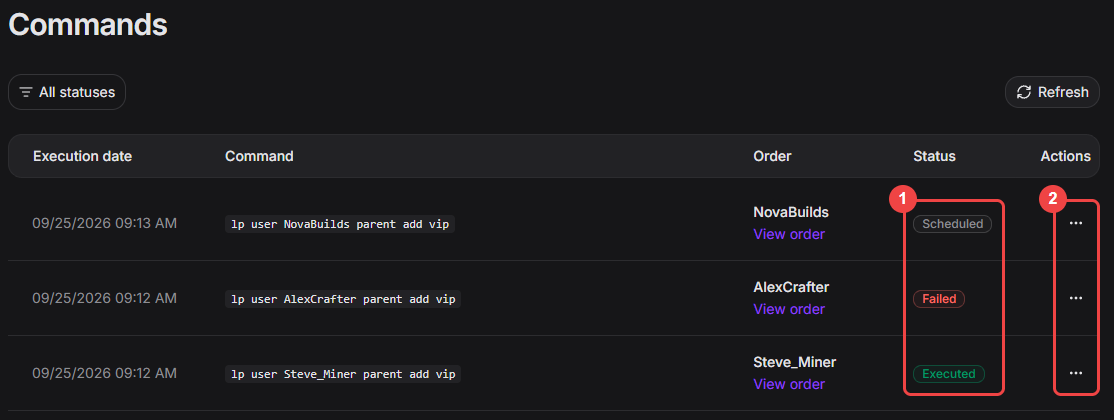
Use the Commands page to distinguish queued, failed, and completed delivery attempts.
Troubleshoot common symptoms
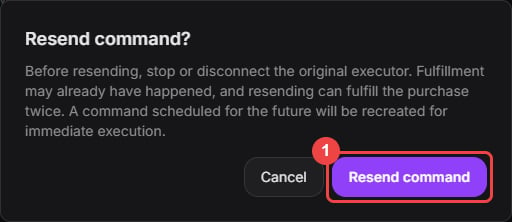
Read and accept the duplicate-delivery risk only after you verify the original attempt.